Create a Style Guide
A Style Guide tells Taia's AI how your brand should sound in translation — the tone, register, and specific rules that apply to your content. It is applied during AI translation to produce output that matches your brand voice, not just your words.
Prerequisites
Your plan must include the style guide feature (Pro and Enterprise plans).
Steps
- In the sidebar, click Style Guides.
- Click New Style Guide.
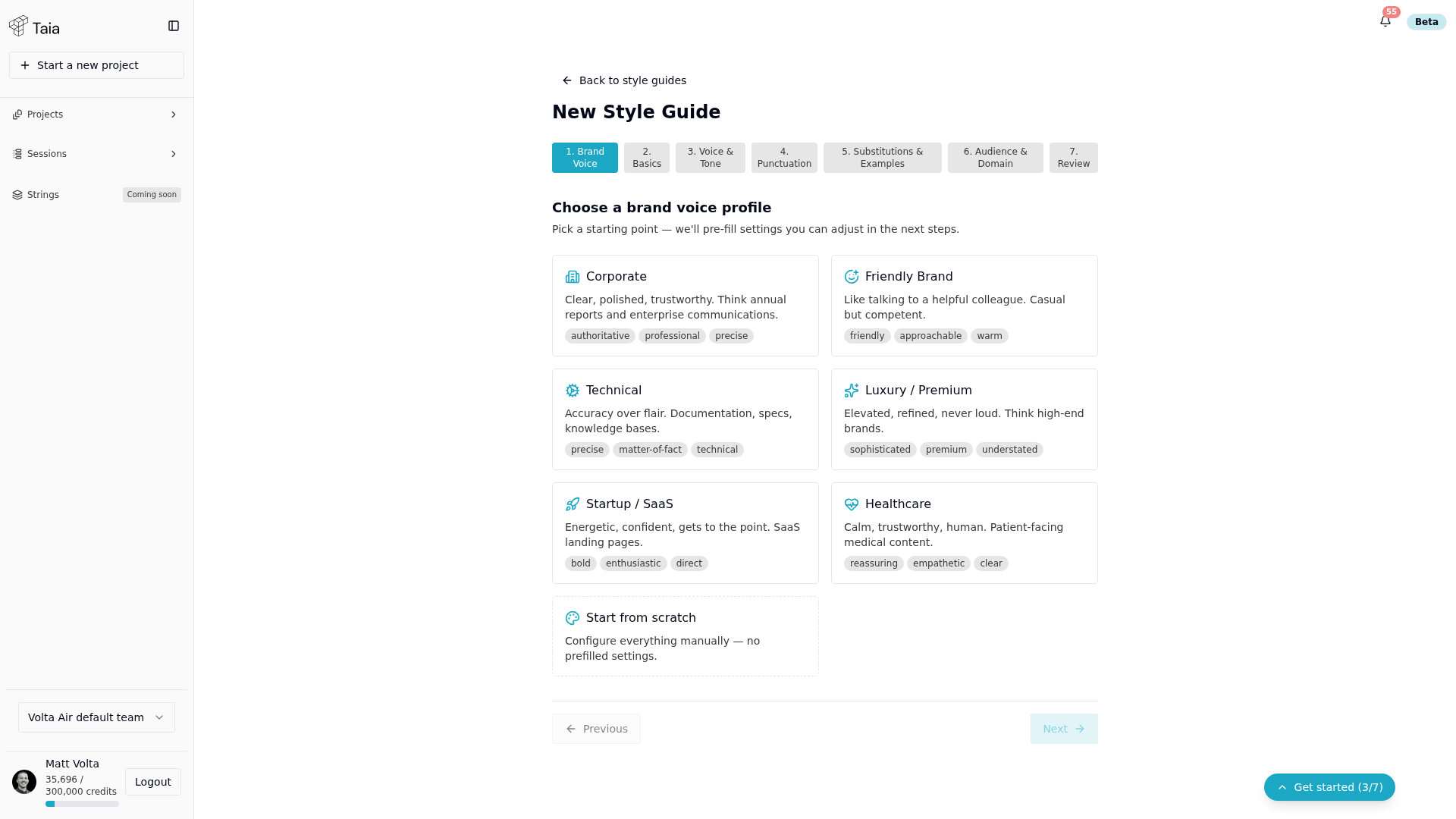
- The wizard opens on 1. Brand Voice, where you pick a starting profile — Corporate, Friendly Brand, Technical, Luxury / Premium, Startup / SaaS, Healthcare, or Start from scratch. Each pre-fills tone settings you can adjust afterward.
- Work through the remaining steps: Basics, Voice & Tone, Punctuation, Substitutions & Examples, Audience & Domain, and Review.
- On the final Review step, confirm and create the style guide.
You can edit the style guide rules at any time. See Edit tone, register, and rules.
Attach a style guide to a project
After creating the style guide, attach it when creating a project. See Attach a Style Guide to a project.