Invite a team member
Add colleagues to your organization and assign them a role so they can start translating on your team's subscription.
Prerequisites
- You are an organization manager or team manager.
- Your organization already exists. Don't have one? Set up your organization first.
Steps
- Go to your Profile page and click Manage Organization.
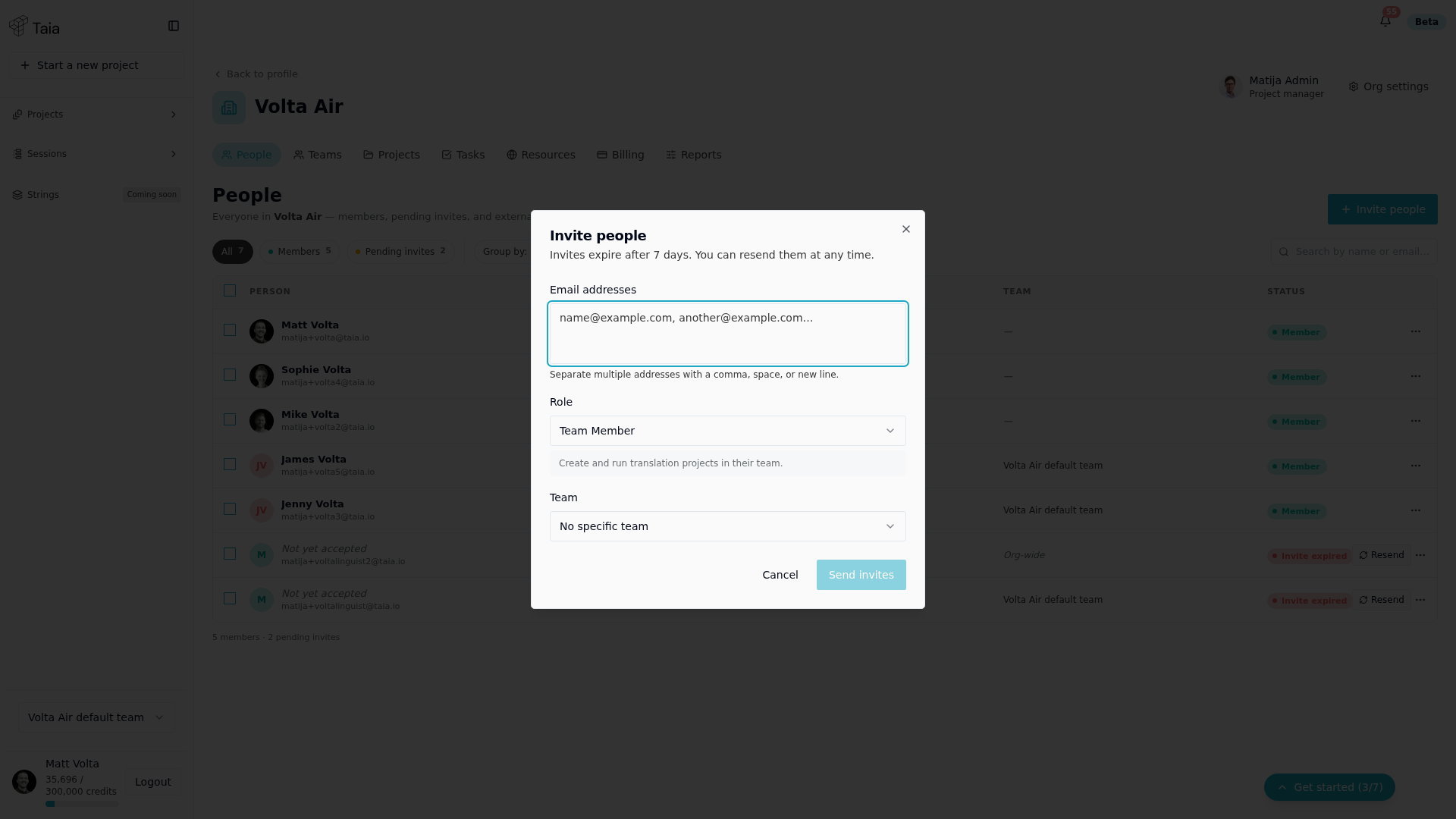
- On the People tab, click Invite people.
- Enter one or more email addresses (separate with a comma, space, or new line).
- Select their role:
- Team Member — can work on projects and use shared glossaries and TMs
- Limited Team Member — can only work on tasks explicitly assigned to them
- Team Manager — can create and assign tasks, view all team projects
- Select which team to add them to (or leave as "No specific team").
- Click Send invites.
The invitee receives an email with a link to accept. Once they accept, they appear as a Member on the People tab.
Pending invites
Invites that haven't been accepted yet appear on the People tab with a "Pending invites" filter and an "Invite expired" status once the 7-day link expires. You can resend or cancel a pending invite from there.
Send your invitees something to read
People often ignore an invitation email from a company they don't recognise, or never see it because it went to spam. Share this link alongside your invites:
help.taia.io/get-started/youve-been-invited
It tells them who the email is from, what to search for if they can't find it, what Taia is, and how to accept. You can paste it into the message where you tell colleagues to expect the invitation.
Related
- You've been invited to Taia — the page to send your invitees
- Assign roles
- Remove or deactivate a user
- User roles explained